
MapSync
Search anywhere, see every way there, and follow MapSync's own turn-by-turn guidance — it reroutes when you leave the route and watches live traffic for a faster way. Plus road trips, the weather on the road, live location with your people, Find my device, fake location and offline maps.
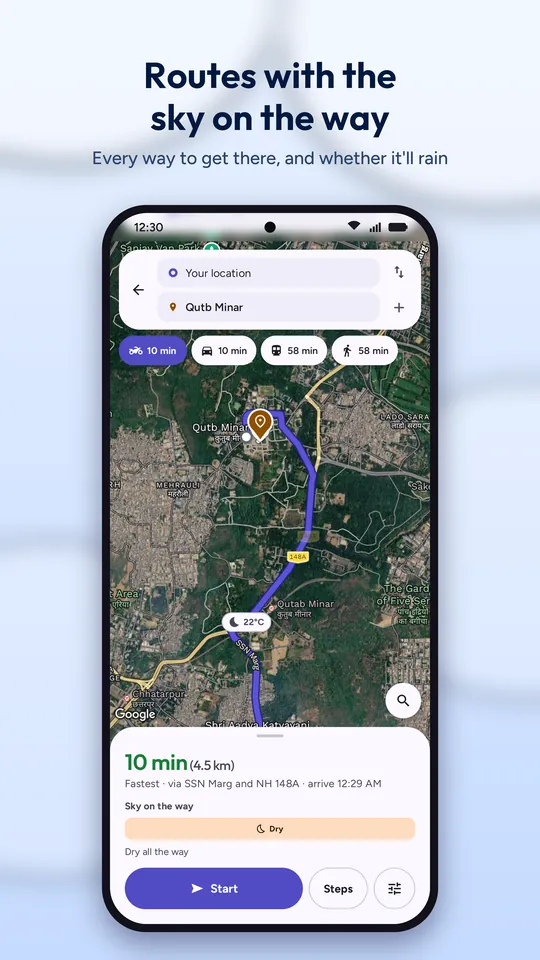
Every way to get there
Pick a place — or just type “Saket to Hauz Khas” (or “Saket se Hauz Khas”) in the search bar — and MapSync works out the sensible way to go.
- Bike, Car, Transit or Walk, each with its time; a short trip turns into a walk, and two stations into public transport
- Up to four routes, fastest first, each with its time on the map, live traffic, and tolls by car
- Avoid tolls, highways or ferries by car; by bike, expressways are avoided by default
- Up to nine stops, numbered in the order the route reaches them
- Public transport step by step — where to board, change and get off
- Share the directions, or save the place as Home, Office, Gym…
- Where the road ends short of the place, it says so and walks you the rest
Weather and stops ahead
On a long drive the questions are what's coming: will it rain, where's the next petrol pump, is there somewhere to eat. MapSync answers before you ask.
- Weather along the route — the forecast for when you'll actually be at each point, the line cut into wet and dry stretches: “Dry until Panipat, then rain to Kurukshetra”
- Rain, fog or strong wind ahead shown while you drive, like “Light rain expected in about 40 minutes near Karnal”
- Alerts on the way for fuel, food and rest stops: “Petrol pump in 3.2 km · on your way” or “2 min detour”, with Add stop or Dismiss
- Places along your route — petrol, EV charging, food, toilets, ATMs, car repair, hospitals, temples and more — up to 3 km either side
- The next one slides in at the top as you drive — “Petrol pump in 800 m” — and one tap makes it a stop
Find anything around you
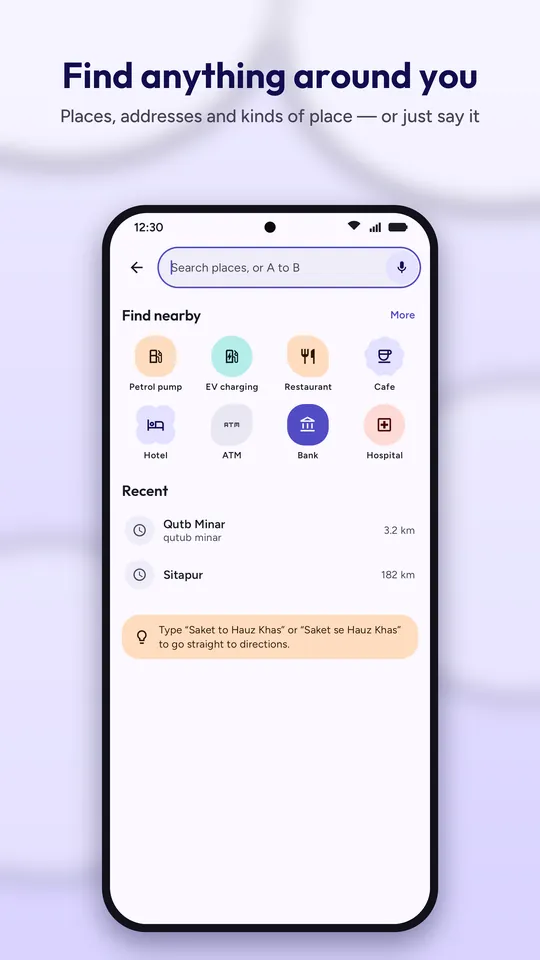
Type or say it. A place, an address, a temple, a metro station — or a kind of place near you.
- Suggestions as you type, and a mic for voice search
- Find nearby — petrol pumps, EV charging, restaurants, ATMs, hospitals, hotels, malls, stations and more, nearest first
- Place layers — keep up to four kinds of place pinned on the map as you move around
- Place details — hours, rating, photos, reviews, call, share, website, and the weather there now
- Default, Satellite or Terrain map, light or dark, with traffic, transit, 3D buildings, Street View and air quality
A road trip, planned day by day
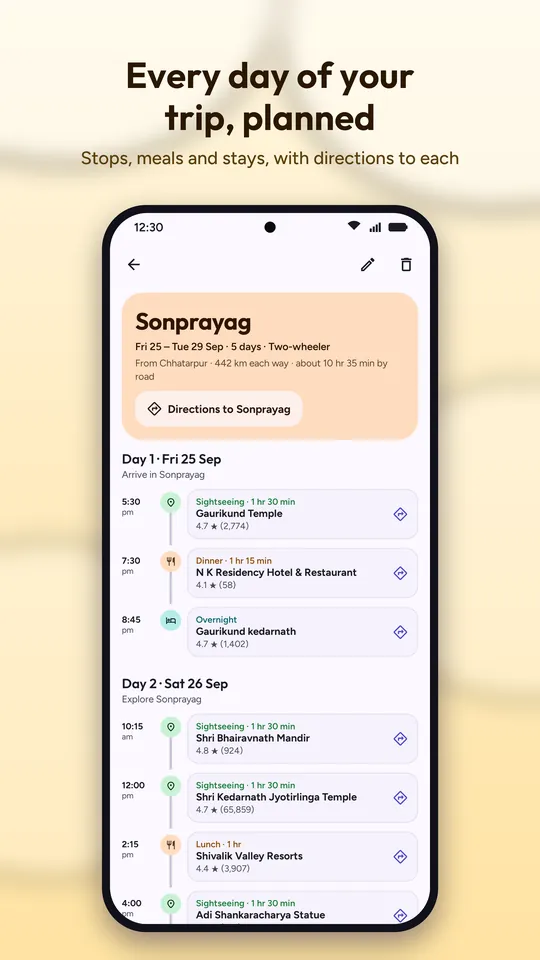
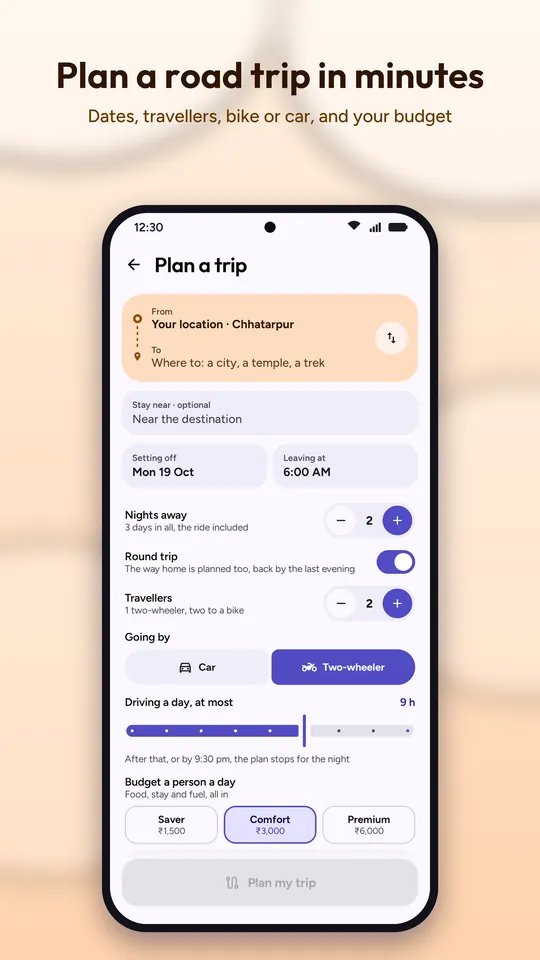
Tell it where, when, how many and your budget — car or two-wheeler — and it plans every day of the trip.
- Drive times for each day, with how far you're willing to drive
- Meals at the right times, near the road — pure veg if you ask
- Fuel stops, short breaks, and night halts at hotels when the day's driving is done
- Sights at the destination, grouped by area, and the hotel to stay at
- A cost estimate in rupees — fuel, tolls, food and stay — against your budget
- The weather and what to pack when the trip is close; directions to every stop
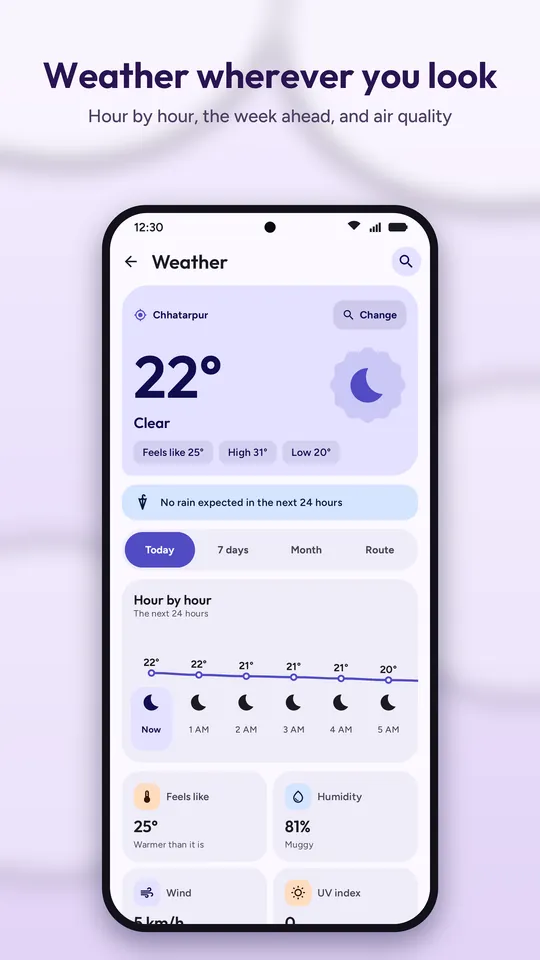
Weather wherever you look
Here, at any place you pick, or between two places.
- Today hour by hour, the next 7 days, and a 30-day calendar that fills in as forecasts reach it
- Route — the weather between two places, stretch by stretch, for when you'd be there
- Air quality on India's CPCB scale, with the main pollutant and the next 24 hours
- Feels like, humidity, wind, UV, rain chance, sunrise and sunset
Your people on your map
Share your live location with someone, account to account — and get told when they arrive or leave.
- Invite by email or a 6-character code; once they accept, you both see each other
- “Live near Connaught Place · battery 64%” — or when they were last seen
- Stop ends it for both of you, any time
- Place alerts — draw a circle (100 m to 5 km) and get told when someone you share with, or one of your own phones, arrives or leaves
- Be told with a notification, a vibration, a ring — or any mix
- With “Allow all the time”, sharing and place alerts keep working while MapSync is closed
Find your phone, even on silent
Every phone signed in to your account shows up by itself.
- Locate any of them on the map, with battery and when it was last seen
- Play sound — it rings at full volume even on silent for up to 2 minutes; a volume key or the power button stops it
- Directions to it, or call one of its SIM numbers
- Set place alerts on your own phones too
Fake location
Put the phone anywhere on the map — standing still, jumping between points, or moving along a route at the speed you set.
- Set location at the pin, search for a place, or type coordinates; a joystick walks it about
- Jump between numbered points every few seconds or minutes, a set number of times or on a loop
- Route — walk, cycle or drive along real roads at your speed, with Real mode for a speed that varies naturally
- Path — straight legs between points you drop
- Favourites and history, and it keeps running when MapSync is closed
- Your people never see a faked spot — sharing, Find my device and place alerts ignore it
Offline maps and offline navigation
Download the areas you need, and MapSync still shows the map and guides you turn by turn with no internet at all.
- Download an area by framing it on the map — a city like South Delhi or Gurgaon is one area, with its size shown before you download
- The offline map with your saved places and recent searches, and a long press for any spot
- Offline directions and guidance worked out on the phone — the same turn card, voice, rerouting and stops
- Offline maps come from OpenStreetMap; turns are said without road names, and there's no live traffic
- Place search, weather, places along the route, transit and Street View need a connection
How it works
Google Maps Platform
Places, Routes, Geocoding, Weather and Air Quality answer searches, routes and forecasts; the Maps SDK and Map Tiles draw the map and Street View.
OpenStreetMap on the phone
Downloaded areas draw the map without internet, and offline routes are worked out on the phone itself.
Firebase
Sign-in, saved trips, sharing, place alerts and Find my device. Server-side rules decide who can read what, not just the app.
Only what you asked for
Invites and their answers, place alerts you set, and locate or ring requests between your own phones. Nothing promotional.
Location sharing you're in control of
Live location is the most personal thing a map app handles. MapSync shares yours only with people who accepted your invite or whose invite you accepted — stop it for one person, or switch off Share my location automatically in Settings.
- Shared only with people you both accepted
- Stop for one person, or for everyone
- Only your latest position is kept
- No ads, no analytics, nothing sold
Help MapSync reach the Play Store
MapSync's 14-day closed test on Google Play is in review. Leave the email of your Google account and you'll be added as soon as it opens — you get the app first, and what you find decides what gets fixed before launch. Testers count toward the 50 accounts too, so join while there's room.
Leave your email
The Google account you use on the Play Store. Testers are added by email, so that's the only thing I need.
Get added
I put you on the tester list in Play Console and email you when the test is open to you.
Install from Play
Open the test link, tap Become a tester, then install from the Play Store like any other app. Updates arrive the same way.
Keep it for 14 days
Google releases a new developer's app only after 12 or more testers stay opted in for 14 days in a row. Keep it installed, use it when you can, and tell me what breaks.